Where the week went
Meridian took 54% of your billable time across 4 sessions. The other 2 clients split the rest.
The automatic time tracker for freelancers, agencies, and remote teams. It runs quietly on Mac and Windows, sorts your focus into client projects, and turns the hours into invoices.
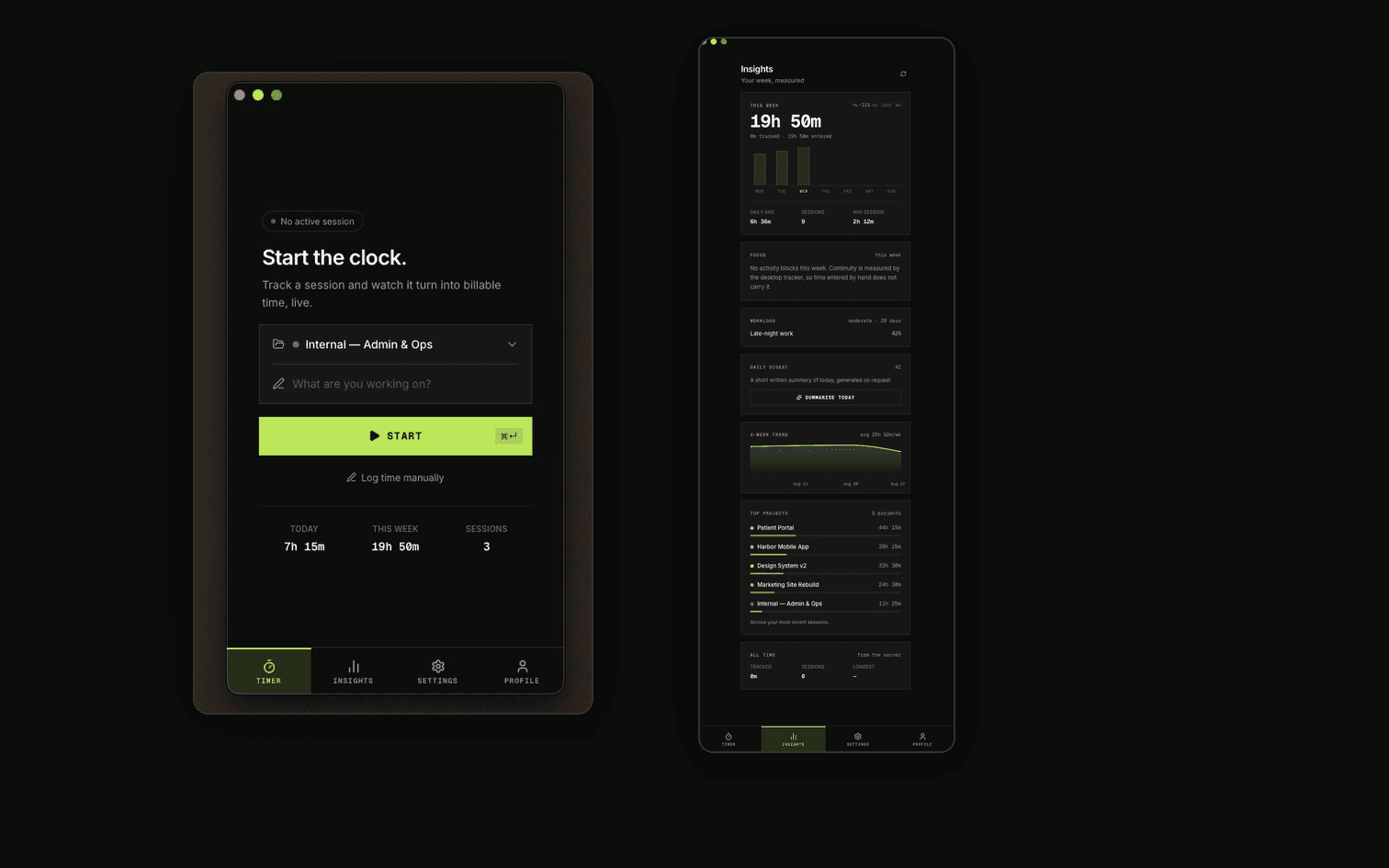
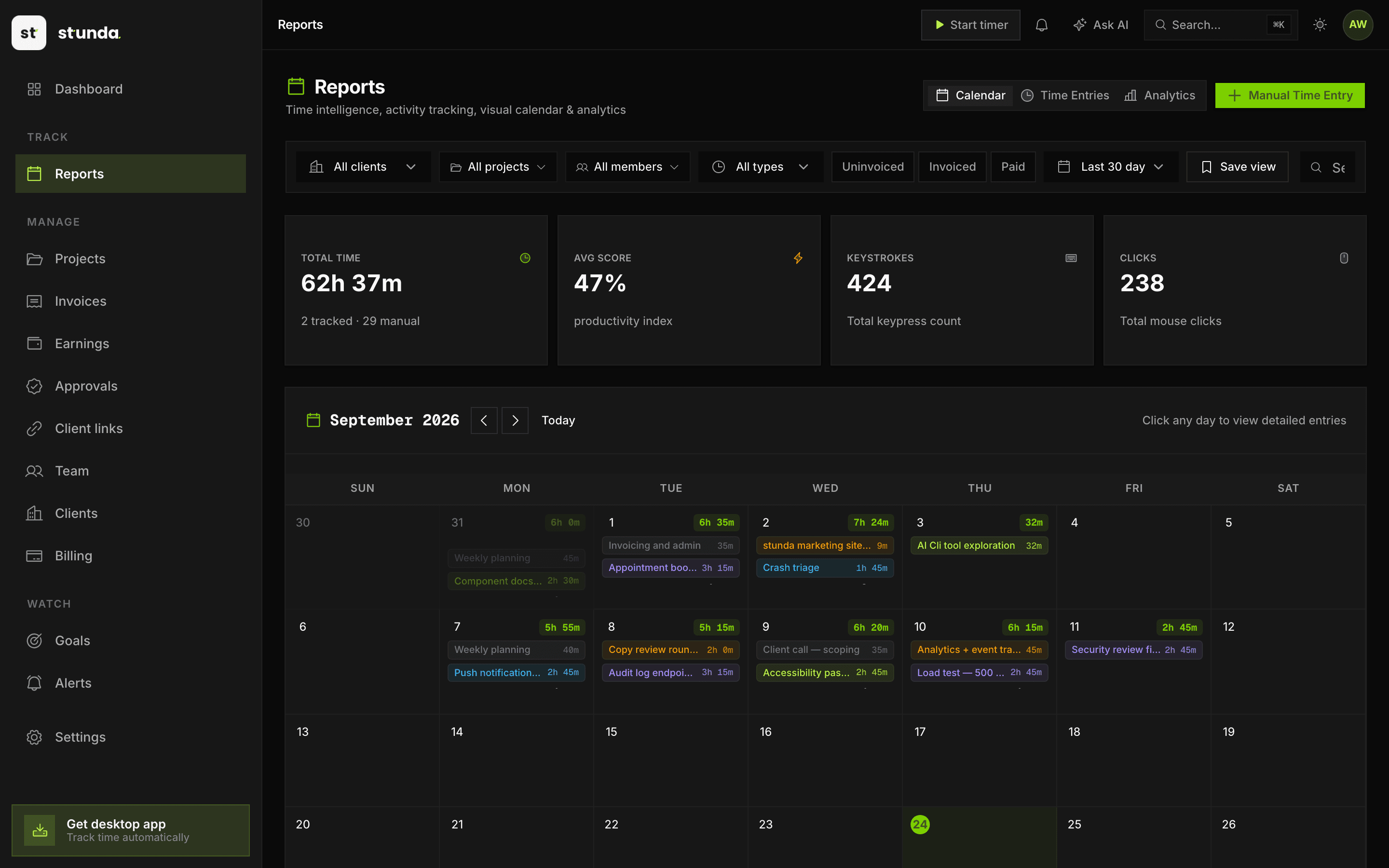
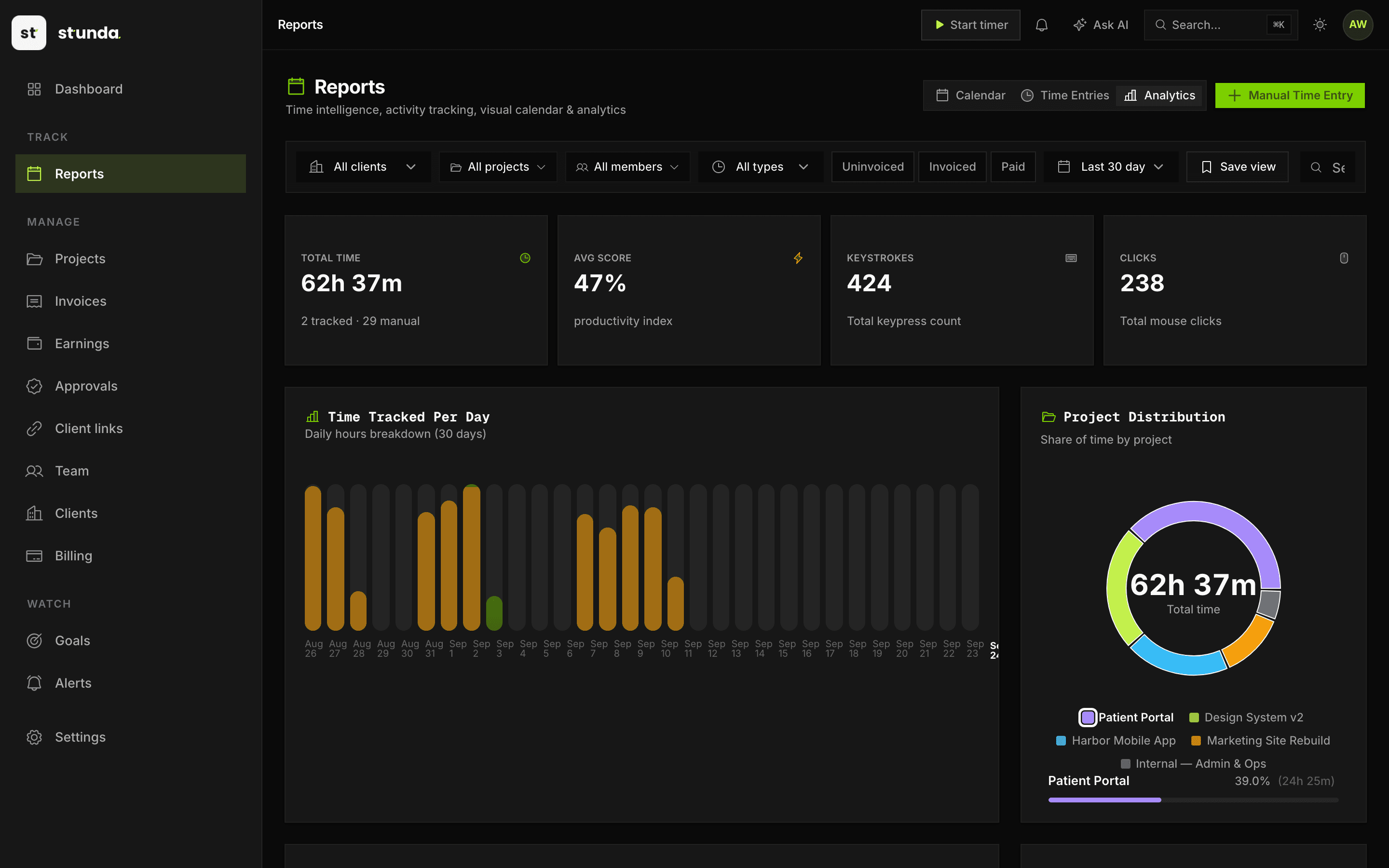
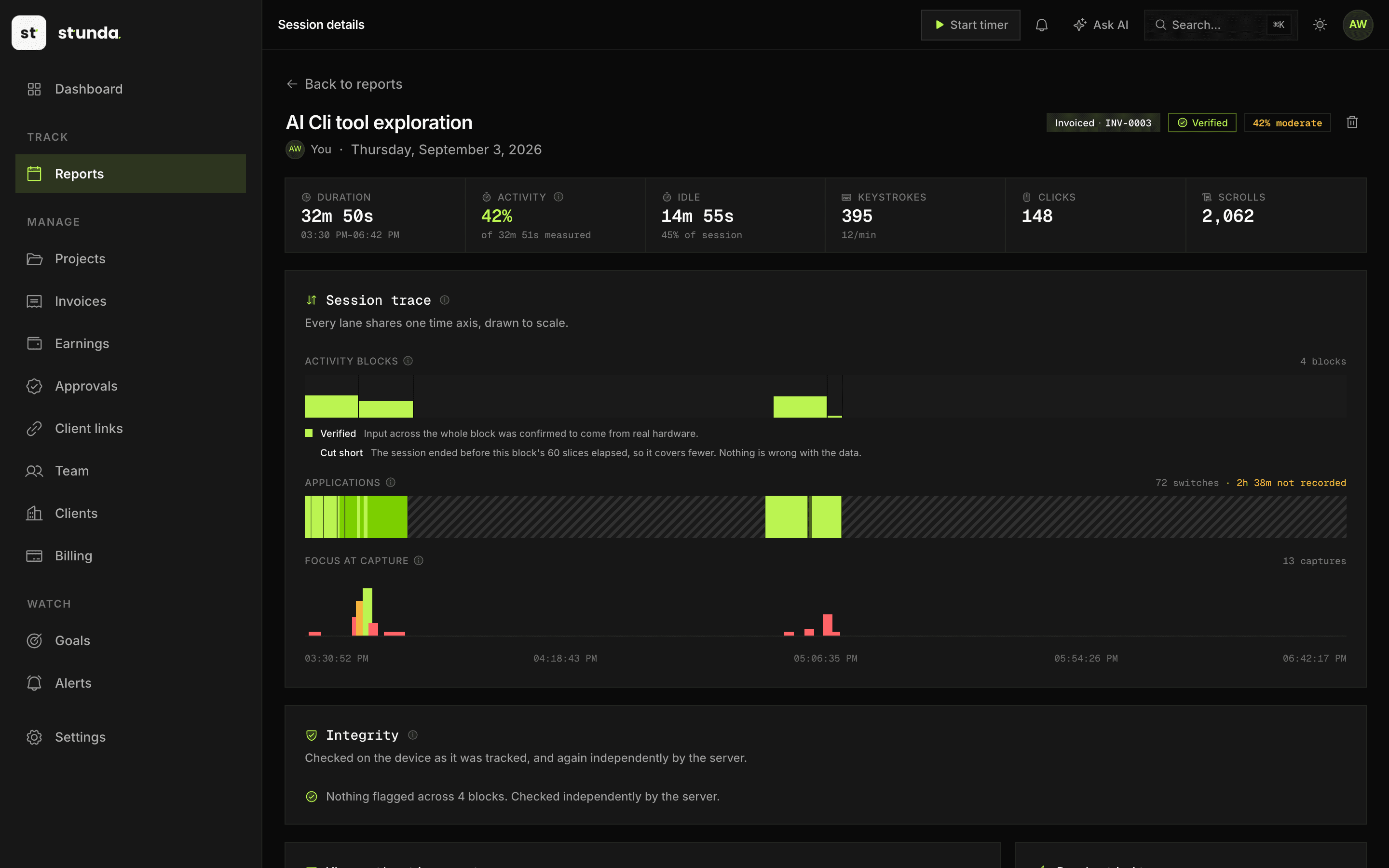
Straight from app.stunda.io and the Mac tracker. This is what you sign in to.
Three ordinary habits, and what each one costs on a deliberately modest assumption. Swap in your own and the shape holds.
You meant to. Then you got into flow. Two hours later you're reconstructing the day from memory.
Was that three hours or five? You could not say for certain, so you billed the number you could defend. That is always the smaller one.
Calendar, sent mail, git log, and a guess. The work you did on Tuesday afternoon simply never made it onto the invoice.
7h 05m a month you worked and never invoiced. Close to a full working day, every month, at whatever your rate happens to be.
Stunda closes all three, automatically.
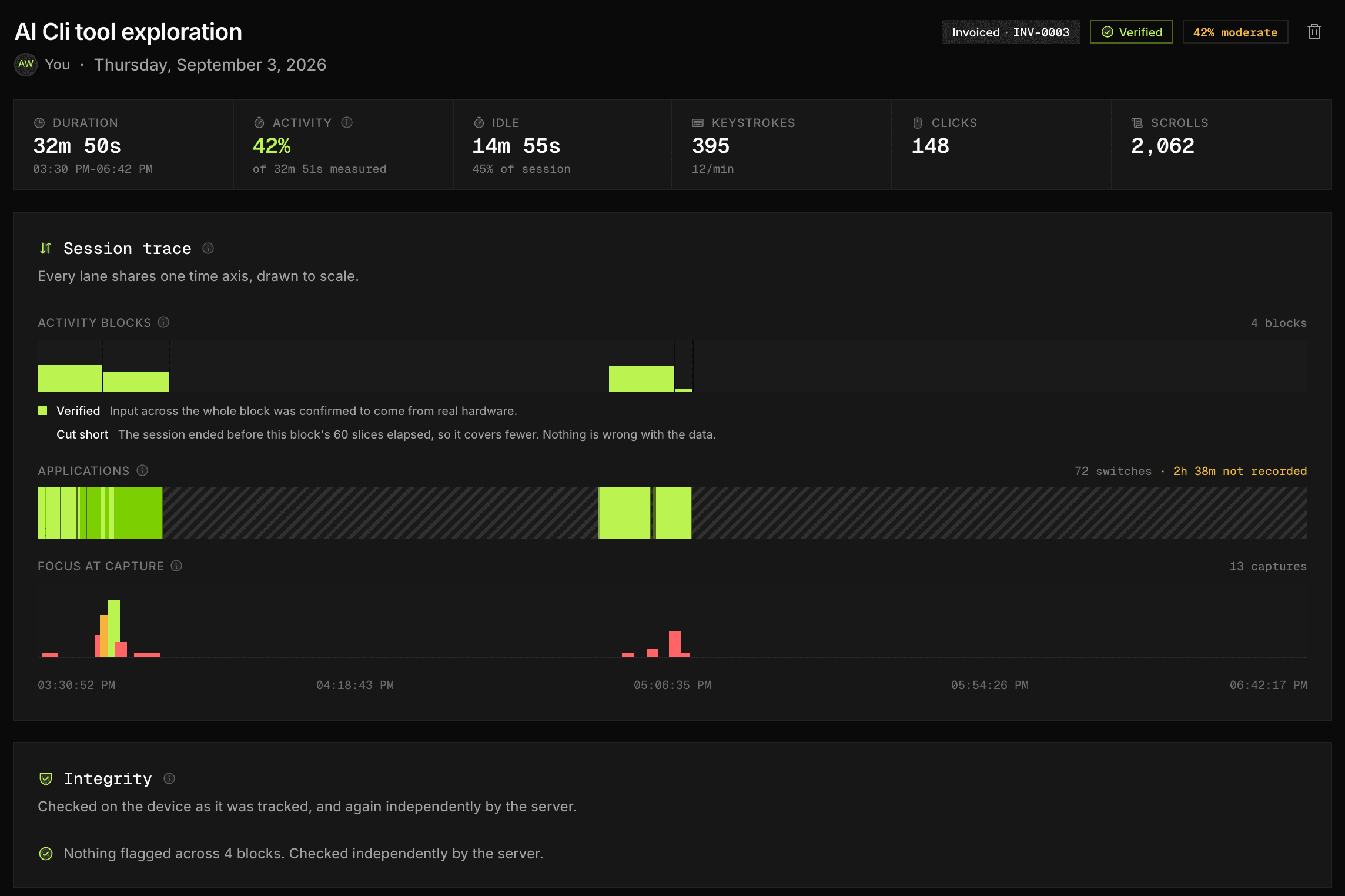
No timer was started. No project was tagged. This is one tracked Thursday, drawn to scale, exactly as Stunda records it.
Hover or tap a block to see what was in it
9:00 AM to 10:45 AM Meridian Client dashboard 1h 45m $148.75
10:45 AM to 11:05 AM Away 20m Idle, never billed
11:05 AM to 12:30 PM Meridian Client dashboard 1h 25m $120.42
12:30 PM to 1:15 PM Lunch 45m Idle, never billed
1:15 PM to 3:00 PM Vantage API integration 1h 45m $148.75
3:00 PM to 3:20 PM Slack 20m Admin, not billed
3:20 PM to 5:10 PM Vantage API integration 1h 50m $155.83
5:10 PM to 5:30 PM Away 20m Idle, never billed
5:30 PM to 6:30 PM Kestrel Brand refresh 1h 00m $85.00
Not our estimate. Move the slider to whatever you think slips through in a day, and the arithmetic runs on the rate you set in the meter above.
12 minutes a day
Assuming 5 working days a week and 46 working weeks a year, at $85 an hour.
This is the argument for tracking automatically in one number. If it comes out at zero for you, you do not need us, and we would rather say so. Work out your billable share instead.
Every session syncs to app.stunda.io on its own, from whichever machine you were on. Check the week, name the stray blocks, send the invoice. Nothing gets typed in twice.
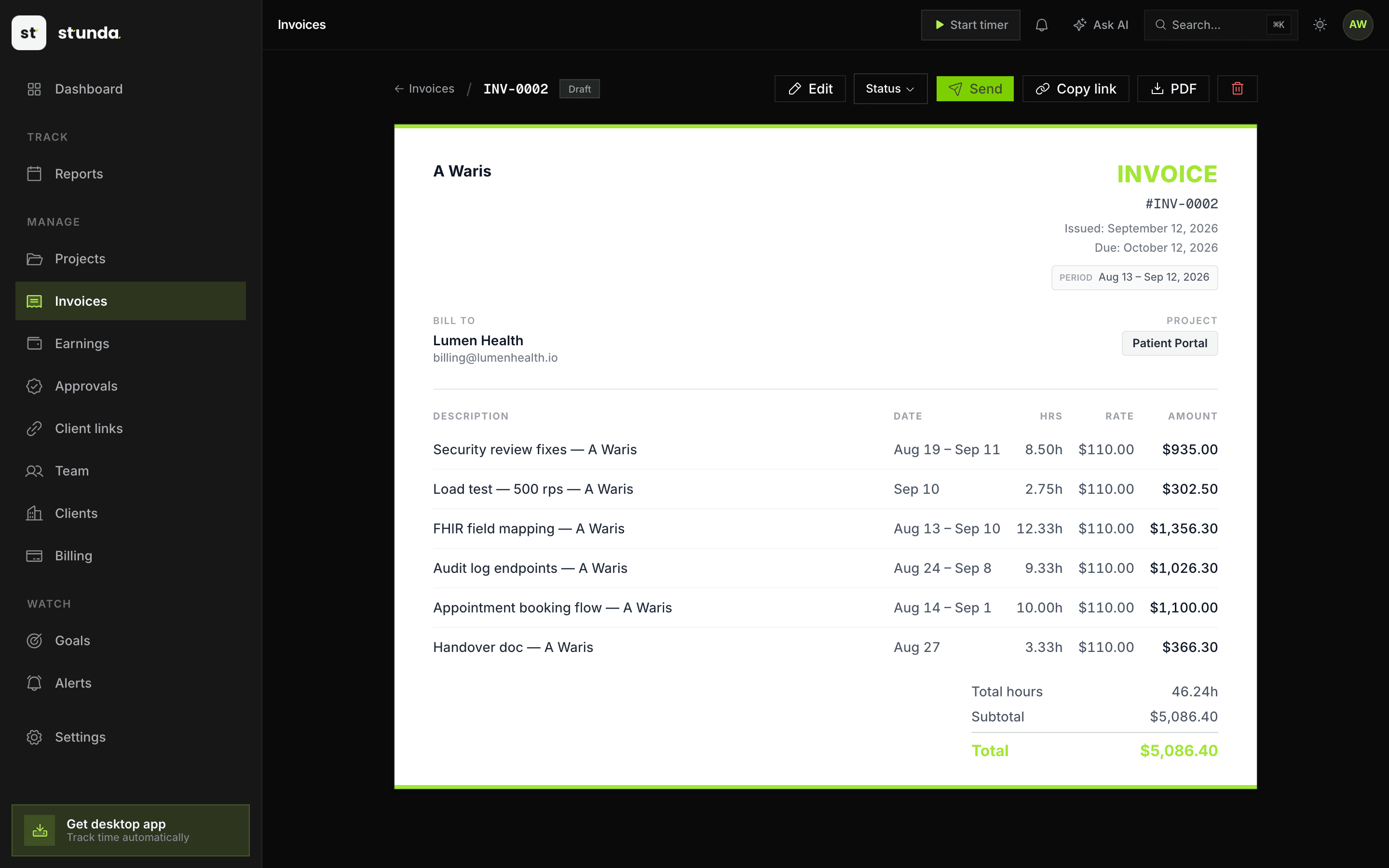
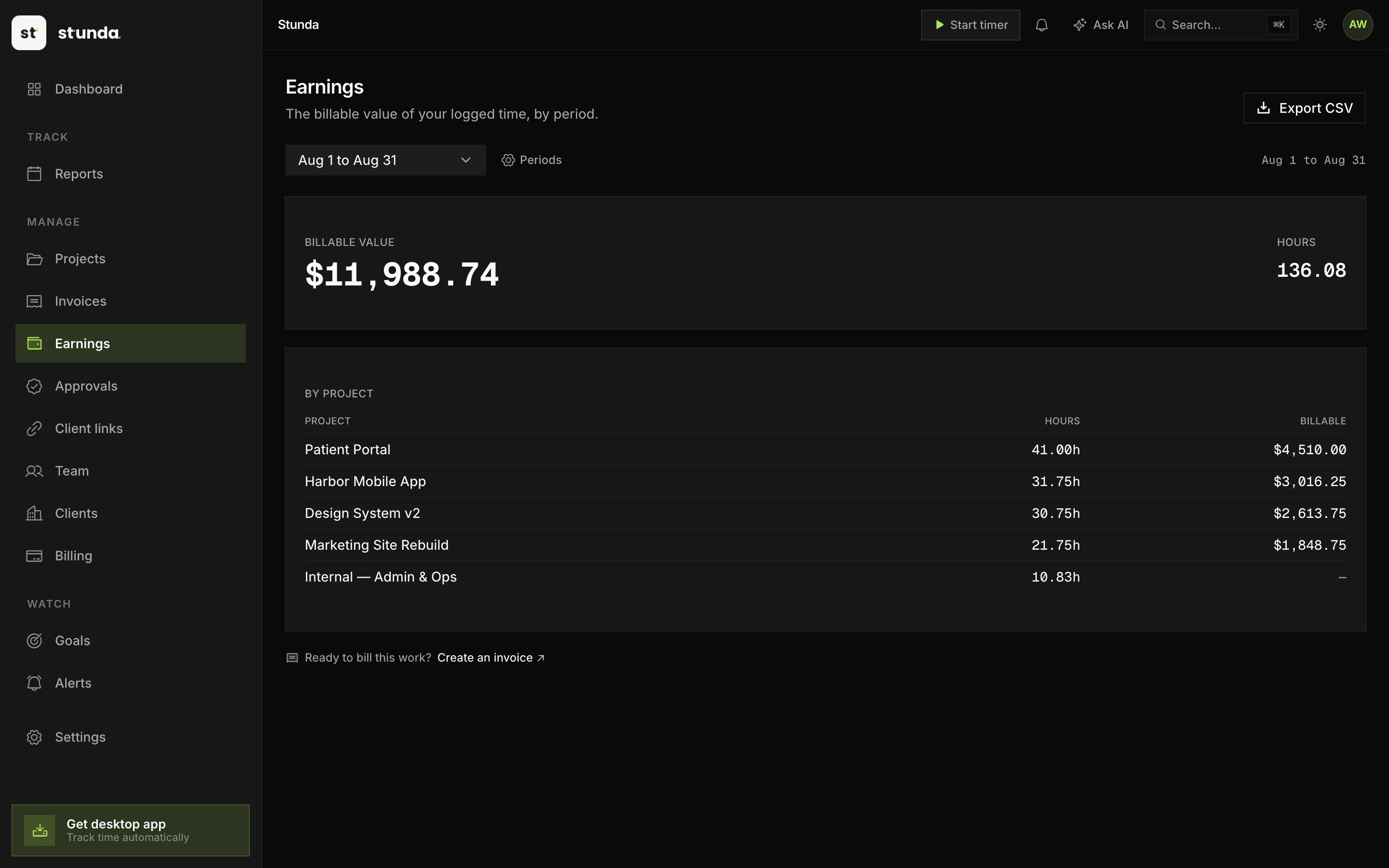
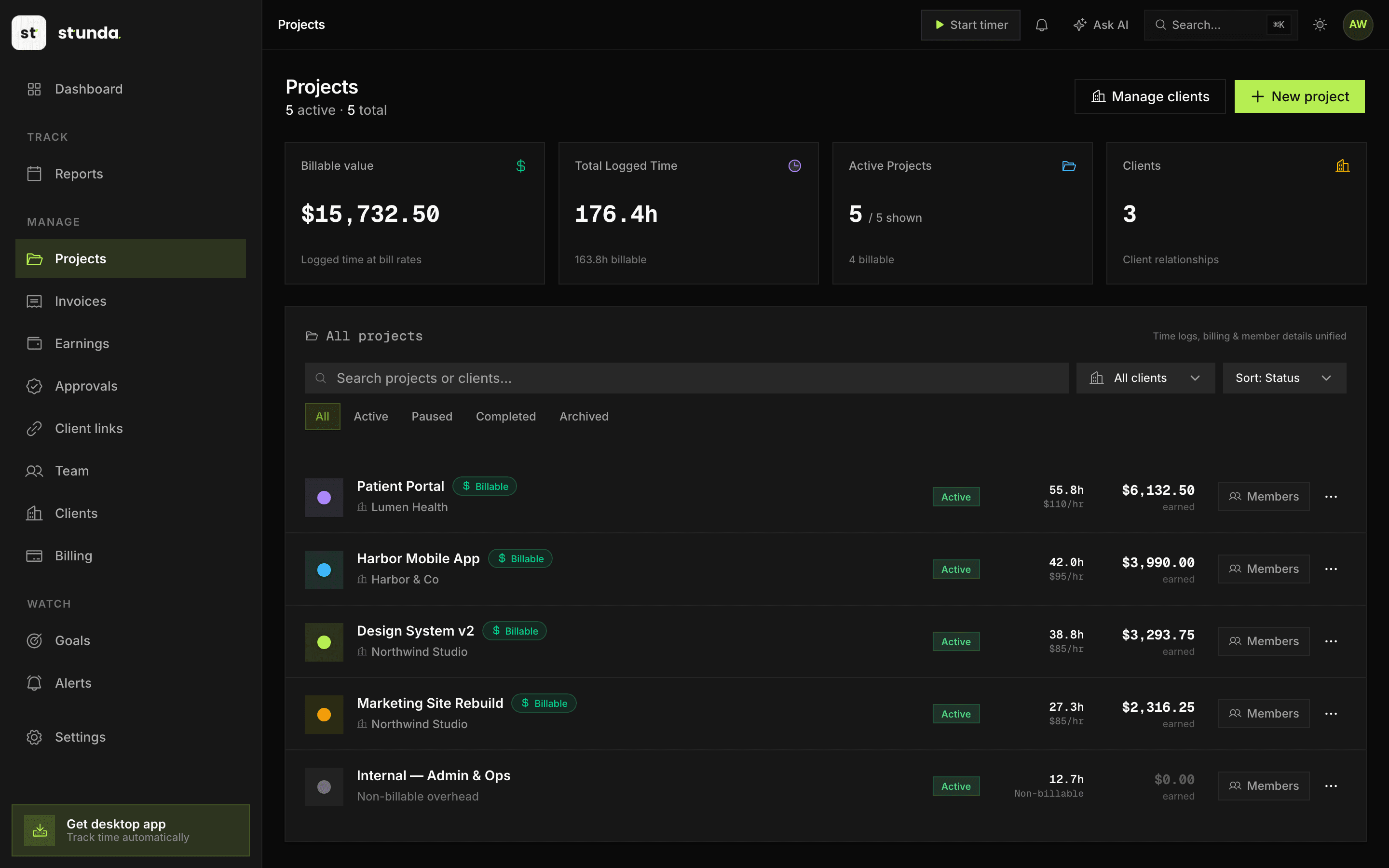
This is live. Click through the sidebar.
Meridian took 54% of your billable time across 4 sessions. The other 2 clients split the rest.
4h 25m unbroken on Wednesday, in VS Code. You did not have to remember any of it afterwards.
3h 20m on Friday up to 5h 35m on Wednesday, averaging 4h 40m of tracked work a day. Stunda flags the weeks that stop looking sustainable.
1h 35m across 2 blocks has no client attached. Assign them and the week is worth $134.58 more.
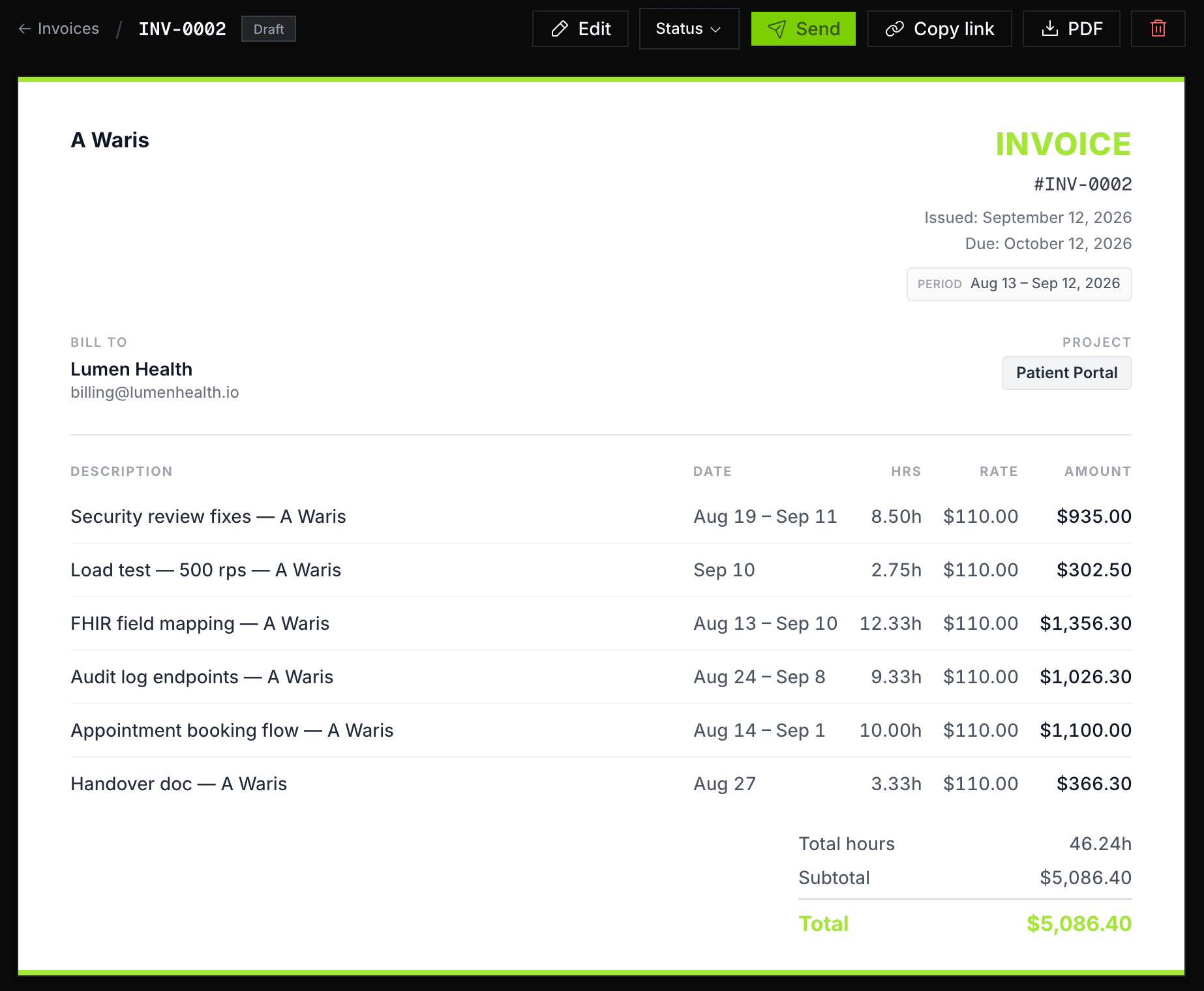
Every line came out of a tracked session, so the hours on the invoice are the hours you worked. No reconstructing the week from memory on a Friday evening.
Tracking, invoicing, privacy, and insights: one quiet system, and not a single timer to babysit.
Every feature, one pageOpen your laptop and start working. A 8.9 MB download captures app switches, active focus, and idle gaps in the background, with no timer to start.
Turn billable hours into branded PDF invoices and shareable links in 60 seconds.
When do you do your best work? Which projects eat your time? What does a 90-score day actually look like?
Wednesday: 5h 35m tracked, the longest day
Invite members, assign projects, set roles. See who's working on what, without being weird about it.
Stunda reads the timeline back to you in plain language, answers questions about it, and tells you when your pace stops looking sustainable. It is working from the week above, not from a survey.
How much did I work this week?
23h 20m tracked across 5 days, 21h 45m of it billable.
Wednesday was your longest at 5h 35m, Friday your shortest at 3h 20m.
That averages 4h 40m a day.
Break it down by client
Meridian took 54% of your billable time.
What can I invoice right now?
Everything except 1h 35m across 2 blocks that still have no client on them.
Ask me anything
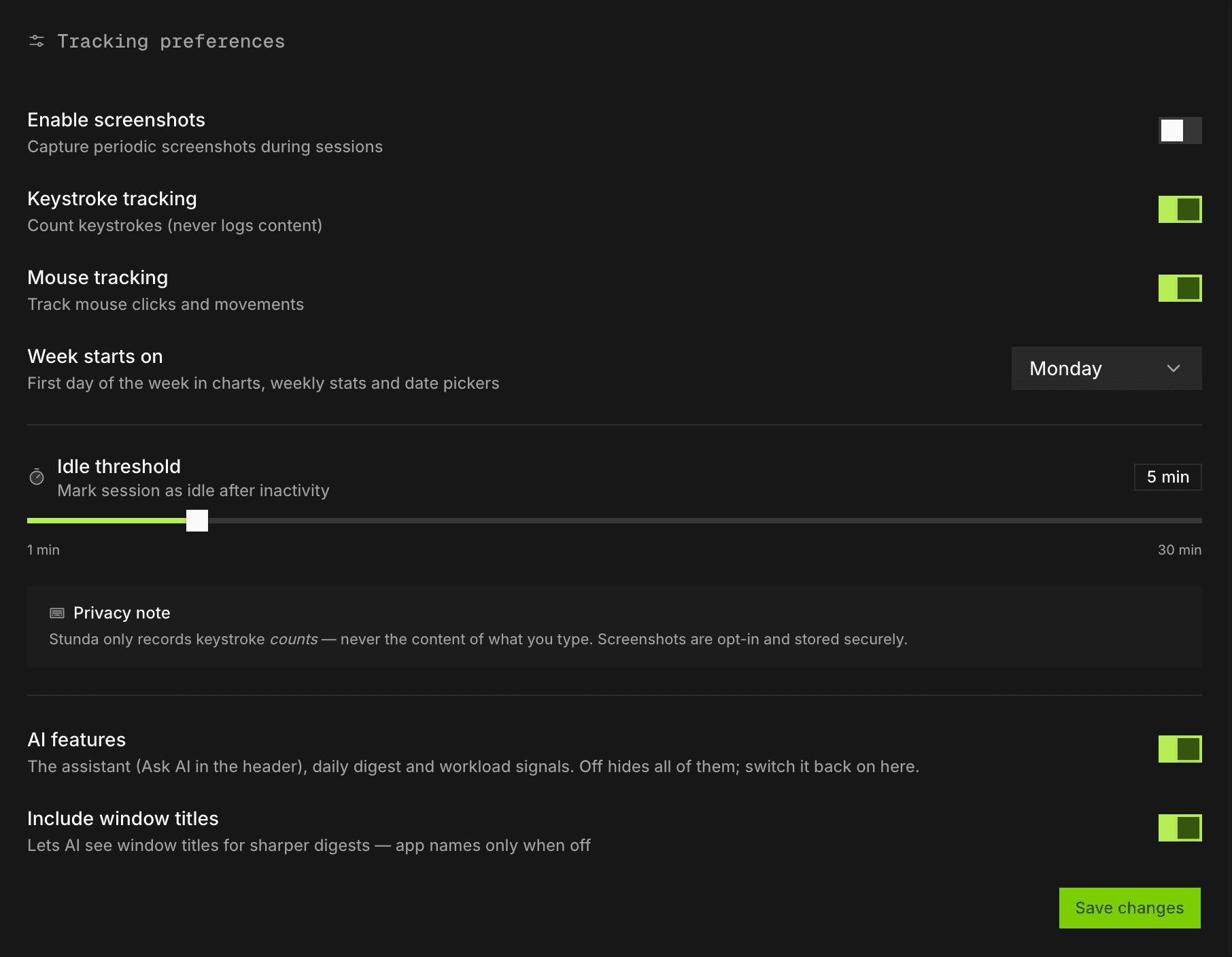
On this page I only know one sample week, so I can answer the three questions below. In the app I read your own tracked time, answer whatever you ask about it, and draft a time entry for you to confirm when you ask me to log one.
Your tracked day, read back to you
A plain-language readout of the day: where the hours went, what stood out, and one concrete idea for tomorrow. It lands every morning, written from the timeline rather than from anything you typed.
Read my dayBurnout signal, not a productivity score
Stunda watches pace over weeks, not days, and says so. Under about two weeks of history it declines to give you a reading at all, because a burnout signal drawn from four days is a guess with a number on it.
Keep tracking. This reading needs about two weeks to be honest.
Up before your coffee gets cold. No config files, no integrations to wire up, no timers to remember.
What it measures, and howMac or Windows. Sits in the menu bar or the tray and starts tracking the moment you log in.
About 30 seconds
No sessions to start. No projects to tag. Stunda watches app focus, detects idle time, and builds your timeline automatically.
Zero friction
End of the week: open the dashboard, see where your time went, drag tracked hours into an invoice, send it. That's the whole loop.
Billing takes 4 steps
Pro is $4.49 a month billed yearly. If you bill $85 an hour, it has paid for itself the first time it catches four forgotten minutes.
Full pricing, feature by featureEverything you need to see where your time goes.
No card needed.
Recovers one forgotten timer and it has paid for itself.
Renews automatically until cancelled. Cancel anytime online. Tax may apply. Sold via Polar, our merchant of record.
Visibility for agencies and remote teams, without the creepy parts.
Renews automatically until cancelled. Cancel anytime online. Tax may apply. Sold via Polar, our merchant of record.
Free is free forever, not a trial. Paid plans renew automatically, monthly or yearly, until you cancel, which you can do anytime from Billing in the app. Sold by Polar, our merchant of record. See the terms.
Need custom pricing, guided onboarding, invoicing terms, or a security review? Talk to us and we'll shape a plan around how your team actually works.
Mostly about privacy, which is exactly how it should be.
All 29 questions, including data, export and cancellation.
Something we didn't cover? Ask us directly.
Stunda (stunda.io) is an AI-powered time tracking and invoicing app for freelancers and small teams. It runs quietly on macOS and Windows, automatically measuring how long you spend on each project and app, then turns that tracked time into professional, branded invoices in about 60 seconds. It is a productivity and billing tool, not a parking or study-hours app.
Stunda tracks automatically instead of asking you to remember to start and stop timers, and it turns that time straight into branded invoices, so there is no export-to-a-separate-tool step. It is privacy-first: it records keystroke and click counts only, never their content, and screenshots are strictly opt-in. AI insights and a daily digest are built in rather than bolted on.
macOS and Windows desktop apps for automatic tracking. The web dashboard works on any browser for reviewing sessions, managing projects, and sending invoices.
Yes: free forever for solo users. You get unlimited history, automatic and manual tracking, basic reports, and a monthly cap on invoices. No credit card required.
Automatic tracking needs the desktop app, because a browser can only measure the browser. The web dashboard handles reviewing sessions, projects, manual entries and invoicing, and the two share one account.
Honest side-by-side breakdowns against the tools people usually weigh Stunda against, plus a free invoice tool you can use without signing up.
Still measuring, since the moment you opened this page
That's how it slips away: a few quiet minutes at a time, on every project. Stunda catches them all day, silently, and turns them into invoices that send in four steps.
Free forever for solo freelancers. No card required. Setup takes 60 seconds.